Sell without living in your inbox.
It reads your Marketplace messages, answers the routine questions in your own words, and shows you only the conversations that actually need you.
Free for 3 days, 30 conversations. Then $29 a month, and nothing at all if you cancel first.
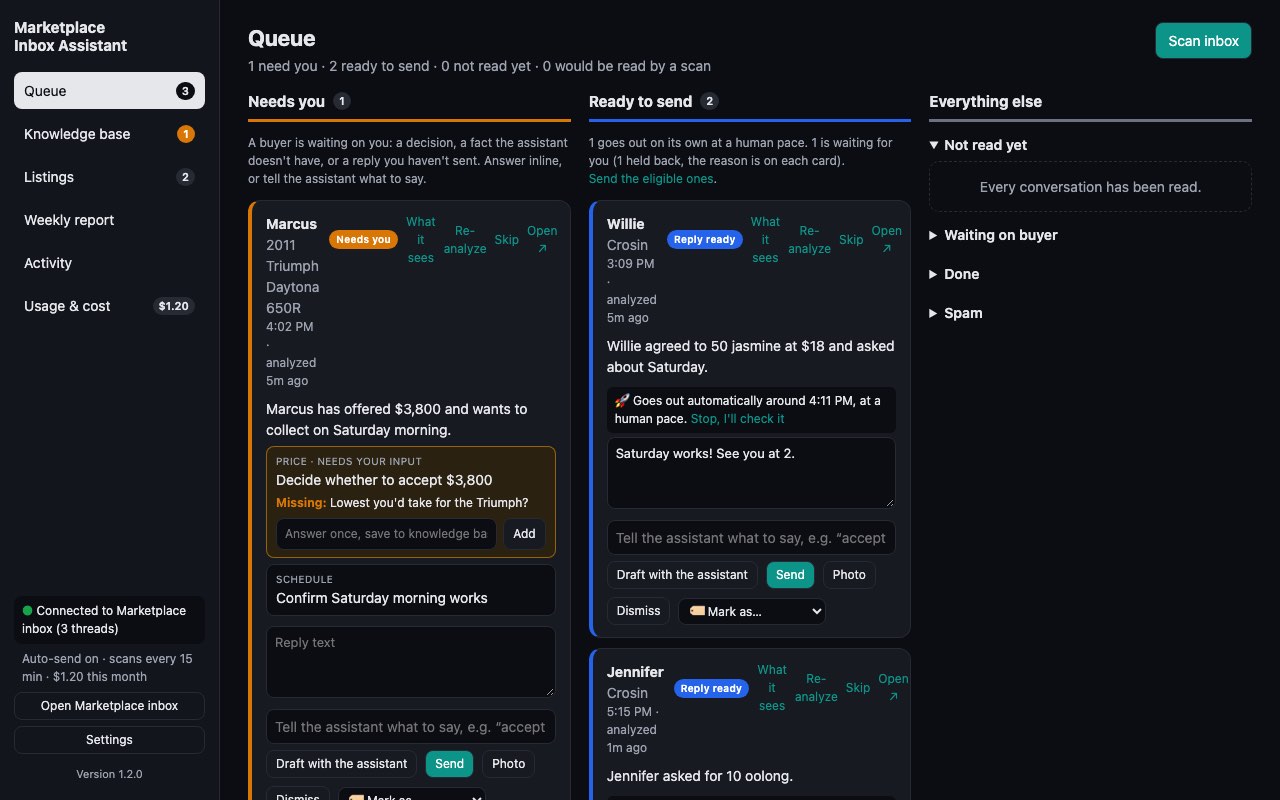
Set it up once. Stop typing the same answers.
"Is this still available?" "Can you deliver?" "Would you take $40?" You've answered them a hundred times. Now you answer each one once.
Add it to Chrome and sign in
Open your Marketplace inbox as usual. The extension works in your own browser, on your own account.
Teach it your answers
Tell it where you meet, when you're free and what you'll take, or let it learn all of that from your past conversations.
Let it sort your inbox
Routine questions get a reply ready to send, in the buyer's language. Offers and decisions come to you, with the question spelled out.
Everything a busy seller needs, nothing they don't
Built around how people actually sell on Marketplace.
See what needs you
Every conversation sorted: needs you, reply ready, waiting on the buyer, done, or spam.
Replies that sound like you
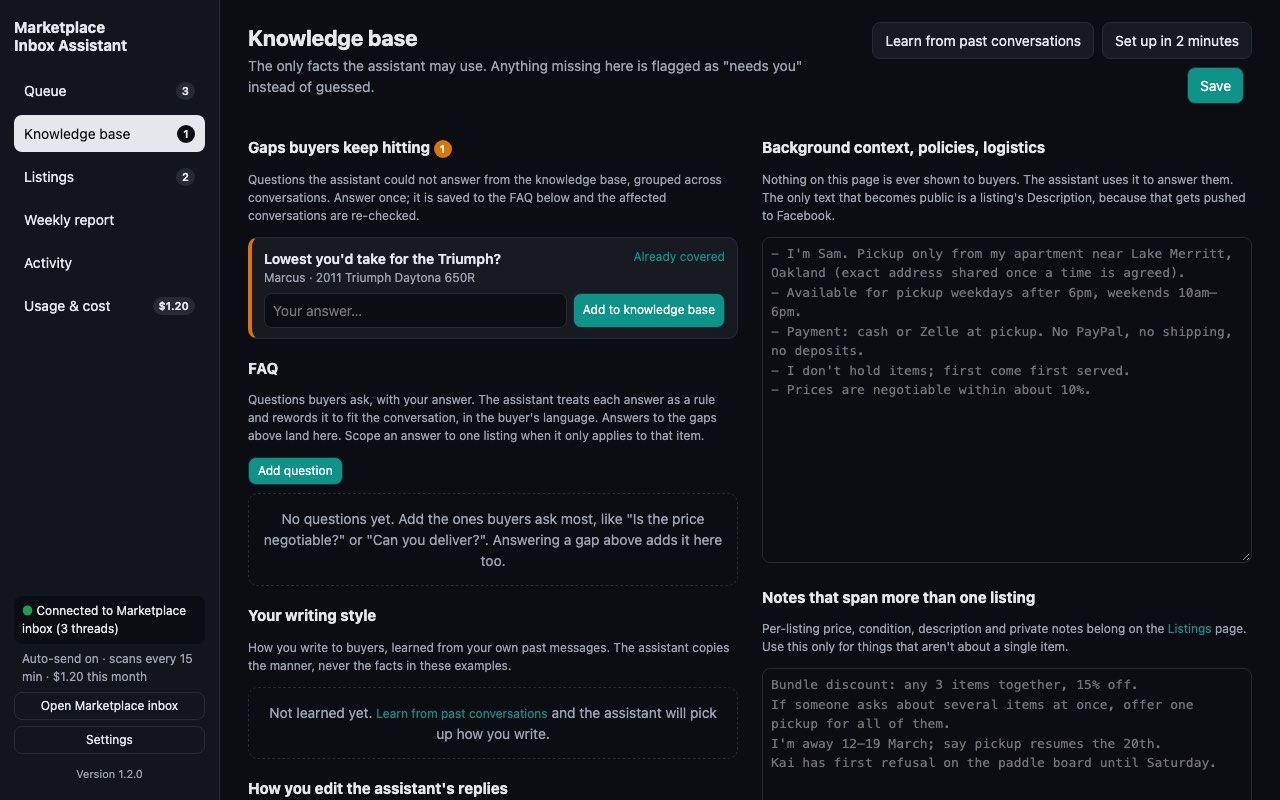
It learns your writing style from your past messages, and answers only from facts you gave it.
Answer once, reuse forever
A question it can't answer is flagged once. Your answer goes into your FAQ for every future buyer.
List from a few photos
Snap the item on your phone at /new. It writes the title, description and condition, prices it from similar items near you, and the listing is waiting on your computer.
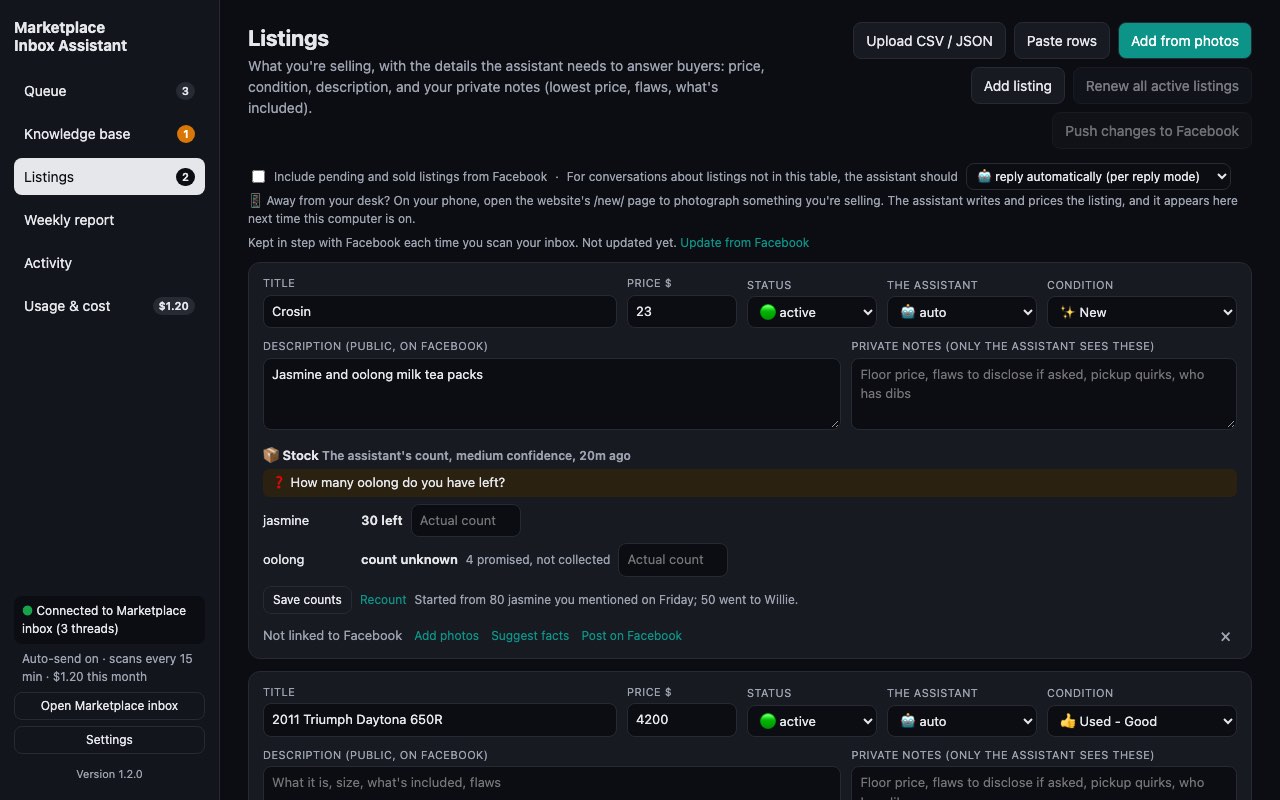
Knows what's left
Selling six of something? It keeps count from your own conversations, so nobody is promised stock you've already sold.
A report every Monday
Sales, revenue, reply times, and where buyers went quiet, with what to change this week.
It learns from your edits
Rewrite or stop a reply and it works out why: your prices, your policies, and which replies you want to see before they go out.
Nudge quiet buyers, once
A short, friendly follow-up when a buyer goes quiet. Never twice, never pushy.
You stay in control
Approve each reply, or turn on automatic sending with quiet hours and limits. Skip any conversation with one click.
Simple pricing
Every plan has every feature. The difference is how many conversations it reads a month: one buyer thread counts once, however many messages go back and forth.
3-day trial
Every plan starts here
- Every feature, for 3 days
- 30 conversations included
- Card taken up front, charged only when the trial ends
- Cancel any time in one click
Pro
Regular sellers and side hustles
- 250 conversations a month
- Every feature included
- Email support
Business
Resellers and high-volume shops
- 1,000 conversations a month
- Every feature included
- Priority email support
Prices in US dollars. Cancel anytime from your account; your plan runs to the end of the period you paid for.
Questions
Does it send messages without asking me?
Not unless you turn that on. By default every reply waits for you to press Send. If you switch on automatic sending, it only sends replies that need nothing from you, with quiet hours and a rate limit, and anything involving a decision, like an offer, always comes to you.
What counts as a conversation?
One buyer thread about one listing, counted once per calendar month the first time it's read. Back-and-forth messages, re-reading, drafting and nudging in that thread don't add to it. Learning from past conversations and listing from photos don't use conversations either.
Is it safe for my Facebook account?
It works inside your own Chrome, on the Marketplace pages you already use, at a human pace, and it never logs in anywhere for you. That said, Facebook's terms restrict automated use of its site, so we can't promise Facebook will never object. Keeping replies approved by you is the most cautious way to use it.
What happens to my conversations and data?
Your settings, knowledge base, listings and the status of each conversation are saved to your account, so a new computer starts where you left off - there's nothing to back up by hand. The messages buyers wrote are not: to read a conversation or write a reply, its text passes through our server to our AI provider and back, and we don't store it. Payments are handled by Stripe. See the privacy policy.
Which languages does it reply in?
Whatever language the buyer writes in. Facebook itself can be in English or Simplified Chinese for the extension to read the page, and the dashboard comes in both too.
Can I cancel or change plans?
Anytime, from your account page. Upgrades take effect straight away and are prorated. If you cancel during the trial you're never charged. Cancel later and your plan runs to the end of the period you've paid for, after which the extension stops reading conversations.
How does the free trial work?
Three days with every feature and 30 conversations. We take a card when you start, so there's nothing to do when the trial ends: on day 4 it becomes $29 a month. Cancel before then from your account page and you pay nothing. One trial per account.
What do I need?
Google Chrome on a computer, and a Facebook account you sell from. There's nothing else to install and no API key to set up.